Bing Maps Mileage Calculator
The Bing Maps Mileage Calculator is an essential tool for anyone who needs to determine the exact driving distance between two or more locations. Whether you are calculating mileage for a business expense report, estimating the length of a vacation drive, or comparing distances between potential destinations, Bing Maps provides accurate, road-based distance calculations that reflect actual routes from Bing Maps Directions rather than simple straight-line measurements.
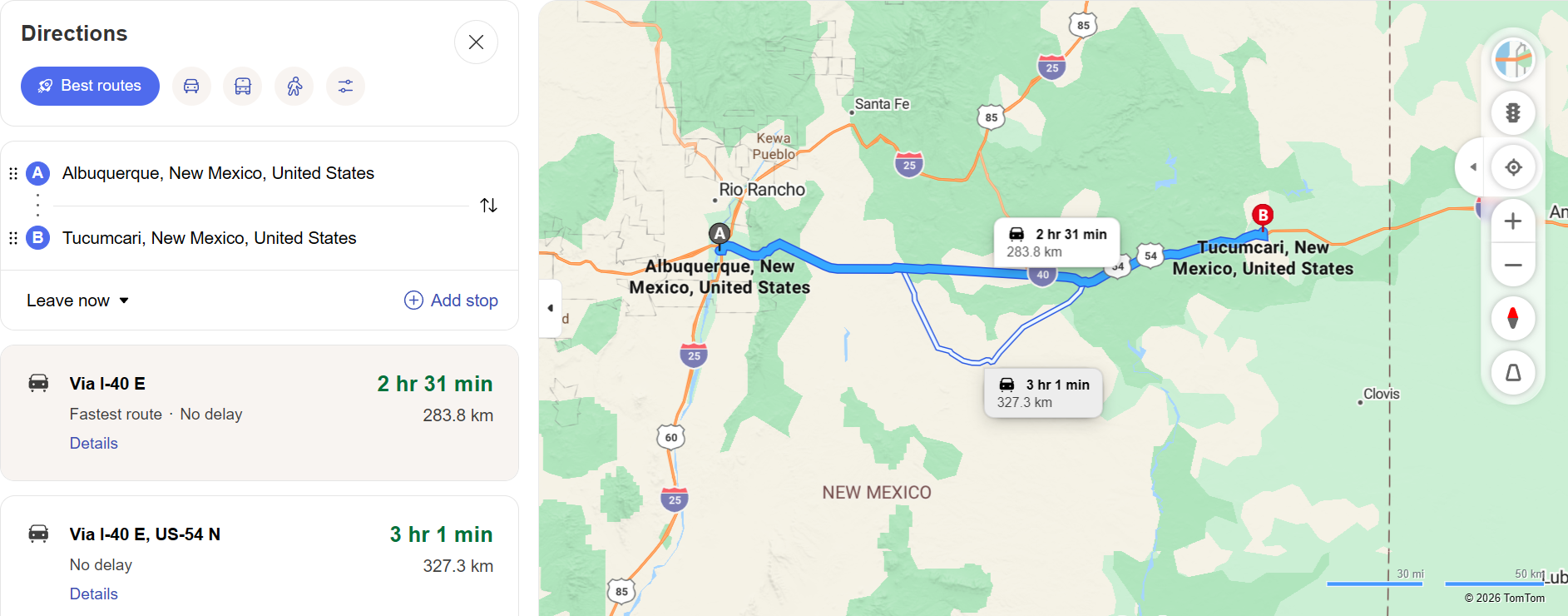
Understanding driving mileage is important for budgeting fuel costs, planning rest stops, and estimating arrival times. Unlike basic distance calculators that measure the shortest path between two geographic points, Bing Maps calculates mileage along actual roads, highways, and streets — accounting for turns, detours, and one-way routes that affect real-world driving odometer readings.
How to Calculate Mileage with Bing Maps
Calculating mileage on Bing Maps starts with entering your origin and destination in the directions panel. Once you click the directions icon and input both addresses, Bing Maps generates a route and displays the total driving distance in miles or kilometers, depending on your regional settings. The distance appears prominently alongside the estimated travel time for each route option.
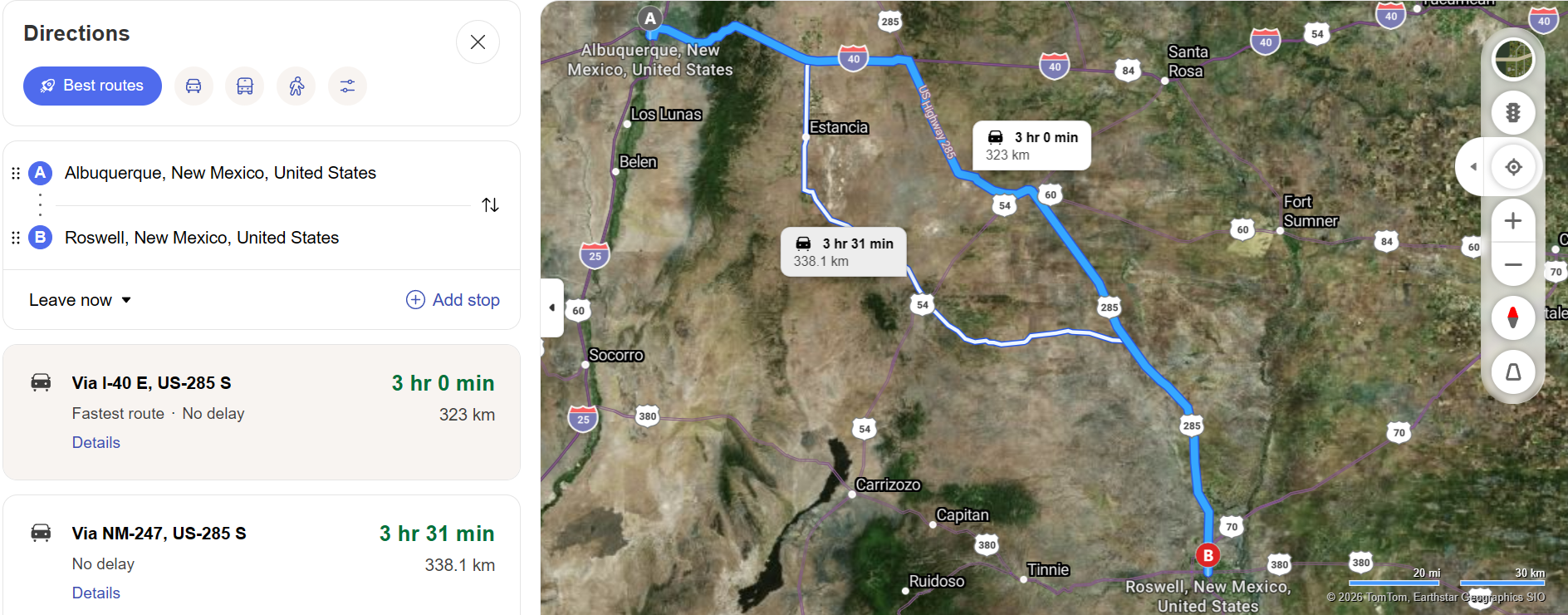
For multi-stop journeys, you can add intermediate waypoints by clicking "Add a stop." Bing Maps recalculates the total mileage across all stops, providing a cumulative distance that covers the entire trip. This is particularly useful for road trips where you need to track total mileage for vehicle maintenance schedules or mileage reimbursement.
Why Accurate Mileage Matters
Business Mileage Reimbursement
Many professionals drive for work and need to submit accurate mileage logs for reimbursement. The IRS standard mileage rate requires precise odometer-based or map-verified distances. Bing Maps Mileage Calculator provides the road-based distance that corresponds to what your vehicle odometer would record, making it a reliable source for expense documentation.
Fuel Cost Estimation
Knowing the exact mileage of your trip allows you to estimate fuel costs with reasonable accuracy. By dividing the total distance by your vehicle's average fuel efficiency, you can calculate how many gallons of fuel you will need. Multiply that figure by the current price using the Gas Calculator, and you have a practical estimate of your trip's gasoline expense.
Vehicle Maintenance Planning
Regular vehicle maintenance is often scheduled based on mileage milestones — oil changes every 5,000 miles, tire rotations every 7,500 miles, and so on. Knowing how many miles a planned trip will add to your odometer helps you schedule maintenance appointments proactively and avoid exceeding recommended service intervals.
Mileage Calculation Tips
Compare Route Distances — Bing Maps typically offers multiple routes via the Route Planner, and the distances can vary significantly. A highway route might cover more miles but take less time, while a local road route may be shorter in distance but slower. Review all options to find the best balance of distance and time for your needs.
Account for Detours — Planned mileage may differ from actual mileage if you encounter construction, road closures, or decide to make unplanned stops. Add a buffer of five to ten percent to your calculated mileage to account for real-world deviations from the planned route.
Use the Print Feature — Print your route details from Bing Maps as a record of the calculated mileage. This printed summary serves as documentation for expense reports, mileage logs, and trip records, providing a trustworthy reference that you can file alongside receipts and other travel documentation.
Bing Maps Mileage vs. Straight-Line Distance
It is important to understand the difference between driving mileage and straight-line (or "as the crow flies") distance. Two cities that are 100 miles apart in a straight line might require 130 miles of driving due to road curvature, mountain passes, and highway routing. Bing Maps always calculates road-based mileage, reflecting the actual distance your vehicle travels — not an idealized geometric measurement.
This distinction matters for accurate budgeting, time estimation, and logistical planning. Always use road-based mileage from a tool like Bing Maps when making practical travel decisions, and reserve straight-line distances for general geographic reference only.